Website Settings
Table of Contents
macOS Website Settings
You can click the gear icon at the top of an Orion window to access the Website Settings for the current webpage.
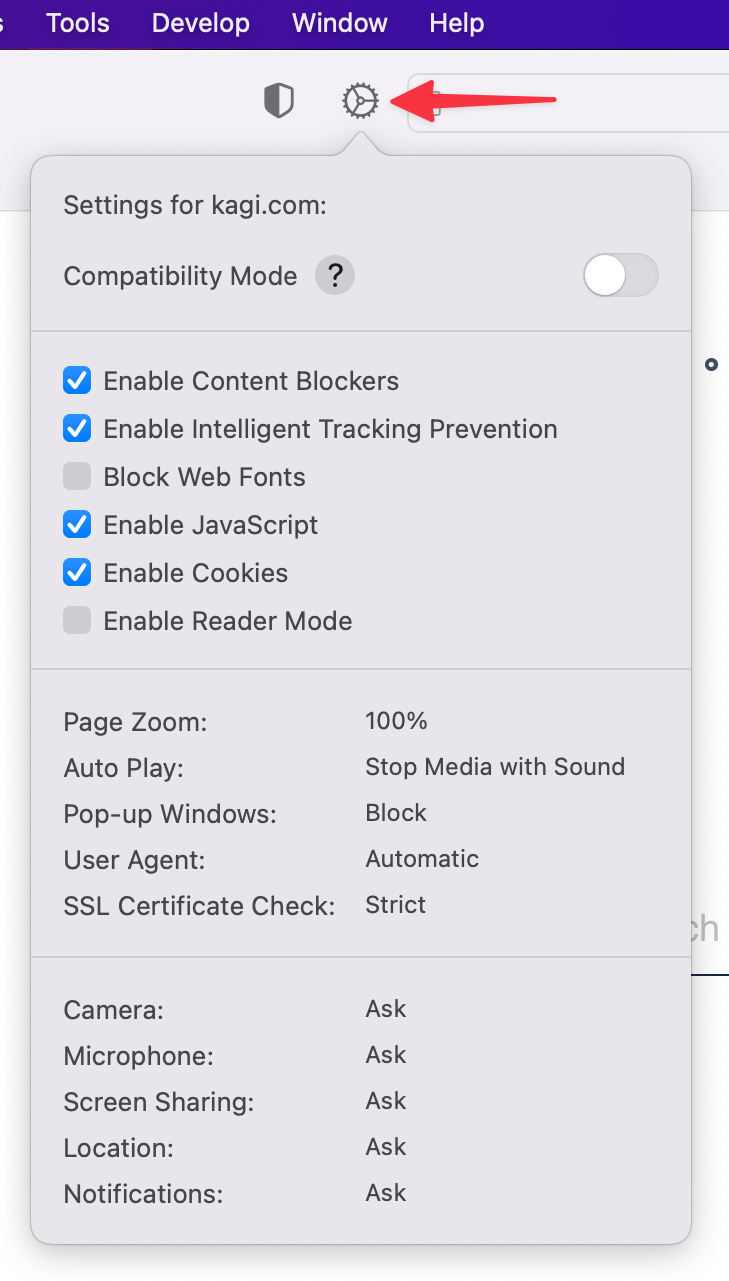
You can control a number of settings related to the current website:
- Enable or disable Compatibility Mode
- Enable or disable Content Blockers
- Block or unblock Web Fonts
- Enable or disable Cookies
- Enable or disable Reader Mode
- Set Page Zoom between 50% and 300% to make content smaller or larger
- Control Auto Play so that:
- Media is always allowed to automatically play
- Media with sound is automatically stopped
- Media is never allowed to automatically play
- Block or Allow Pop-up Windows
- Set the User Agent to a web browser or custom User Agent String of your choice
- Set whether the check of the SSL Certificate for the website must be Strict
- Control whether the website is set to Allow access, Deny access, or Ask for access to your Camera, Microphone, Screen Sharing, Location, and Notifications
iOS Website Settings
You can tap the icon for a website in Orion's address bar to access the Website Settings for the current web page.
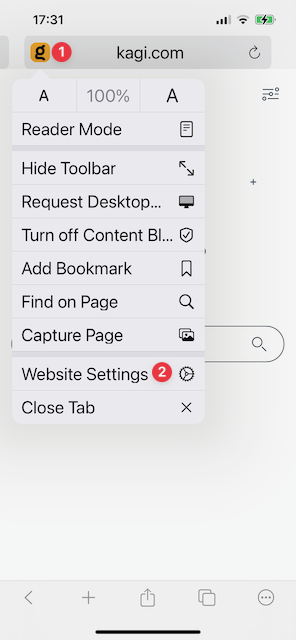
You can control several settings related to the current website:
- Set Page Zoom between 50% and 300% to make content smaller or larger
- Enable or Disable Request Desktop Website, which shows a desktop computer version of the site rather than a mobile version
- Use Turn Off Content Blockers to enable or disable Content Blockers
- Enable or disable Use Reader Mode Automatically
iPadOS Website Settings
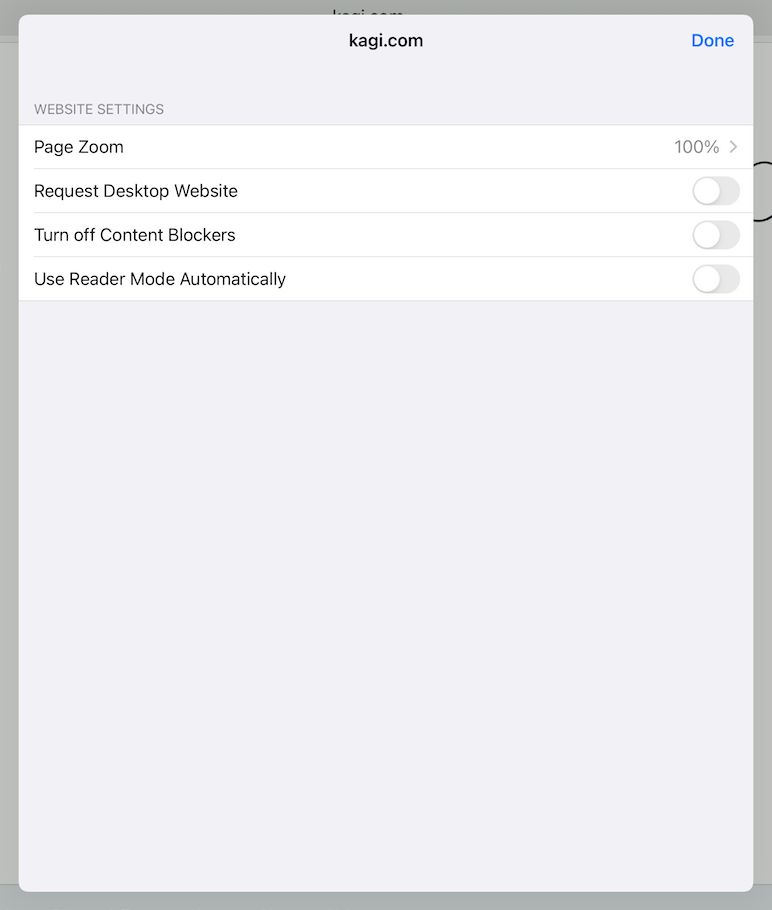
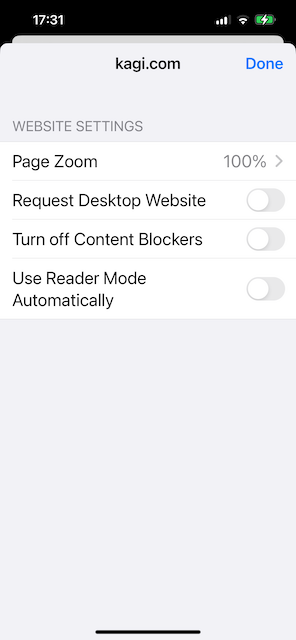
You can tap the icon for a website in Orion's address bar to access the Website Settings for the current web page.
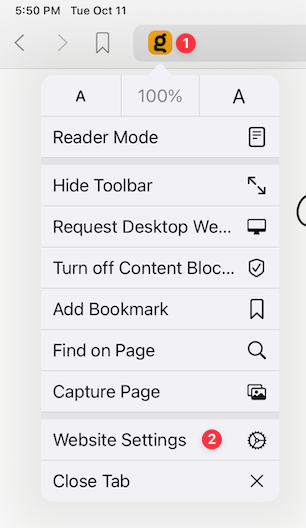
You can control several settings related to the current website:
- Set Page Zoom between 50% and 300% to make content smaller or larger
- Enable or Disable Request Desktop Website, which shows a desktop computer version of the site rather than a mobile version
- Use Turn Off Content Blockers to enable or disable Content Blockers
- Enable or disable Use Reader Mode Automatically